Quoting available now
Win the work
A professional quote while the job is still fresh in your mind.
- Photos, notes and measured dimensions
- Editable pricing and branded proposals
- Online client acceptance
The contractor workspace
From the first photos to the final invoice, see how Speqly fits around your work—and exactly what is available.
A professional quote while the job is still fresh in your mind.
Give changes and actual costs the same attention as the original quote.
Know where you need to be, what needs doing and what’s owed.
Inside the redesigned app
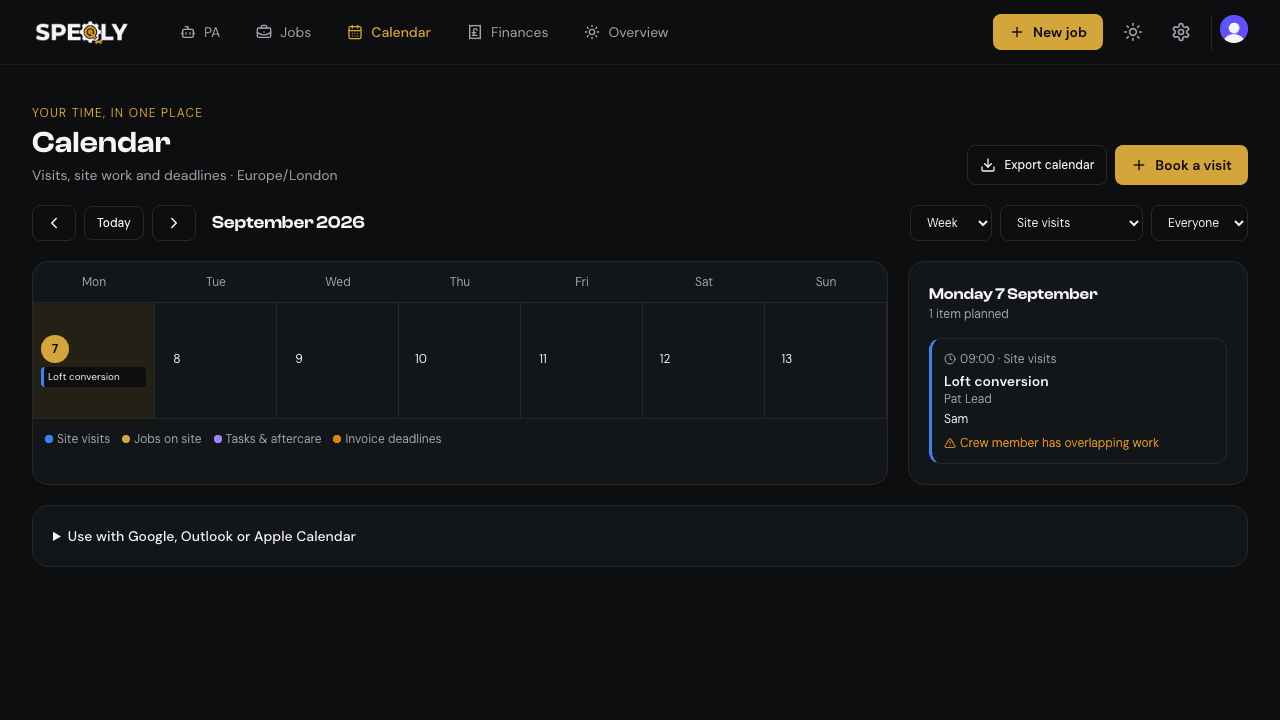
Visual job stages, forms that open when you need them, and a calendar that puts the day in context.
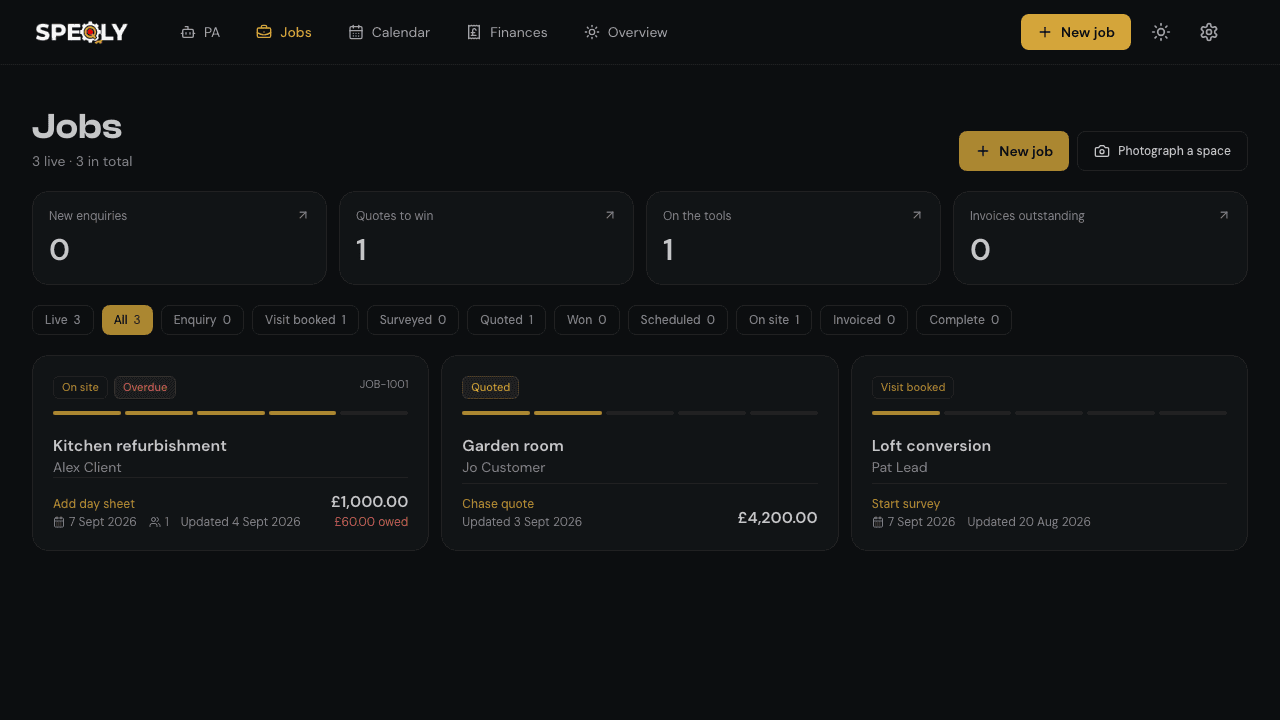
No guessing what’s included
The redesigned workspace has not been marked publicly released. Explore the preview, but choose a subscription based on the available features—not a future promise.
Use site photos, drawings, voice or text notes to create an editable AI draft. Supply and check measurements, quantities, prices and exclusions.
Send a branded online proposal for the customer to review and accept. Review the commercial and cancellation terms for your circumstances.
Push itemised costings as a draft invoice, then review and send it in Xero or QuickBooks Online. Requires Solo or Crew and a connected Xero or QuickBooks Online account.
Ask about your business records, review suggested actions and choose which memories to keep. Owner-only; separate request allowance and optional upgrade.
Keep customer records, enquiries, measured dimensions, room/zone records and checklists together. Maintain your own prices and labour rates.
Schedule work, assign crew and record time, photos and progress. Access is governed by roles and permissions.
Record and price extra work, request client approval and compare actual hours and material spend against the quote.
Month and week views combine site visits, scheduled work, tasks and invoice dates, with crew overlap warnings. Export a calendar snapshot.
Keep stage invoices, retention and recorded payments with the job. Commercial tools include CIS and domestic reverse-charge fields; you select and check the correct treatment.
Customer payment collection depends on a connected contractor payment account and provider availability. Processing fees are separate.
Choose time, timezone, days and topics. Briefings appear in their own PA conversation and use the PA request allowance. Turn them off whenever you need.
Track snagging, certificates, warranty and follow-up records. Export materials for ordering; there is no live merchant basket connection.
Link your number where WhatsApp is configured. Ask your PA through WhatsApp; review business changes in the app. Scheduled briefings are not unsolicited WhatsApp messages.
Live Google/Outlook sync, merchant-account baskets, homeowner finance and native LiDAR capture are not included.
Available in your browser, on iPhone from the App Store and on Android from Google Play. AI suggestions are a starting point, not a measured survey, merchant price guarantee or compliance certification.
Try the available quoting workflow before you choose a plan.